Takeoff keyboard
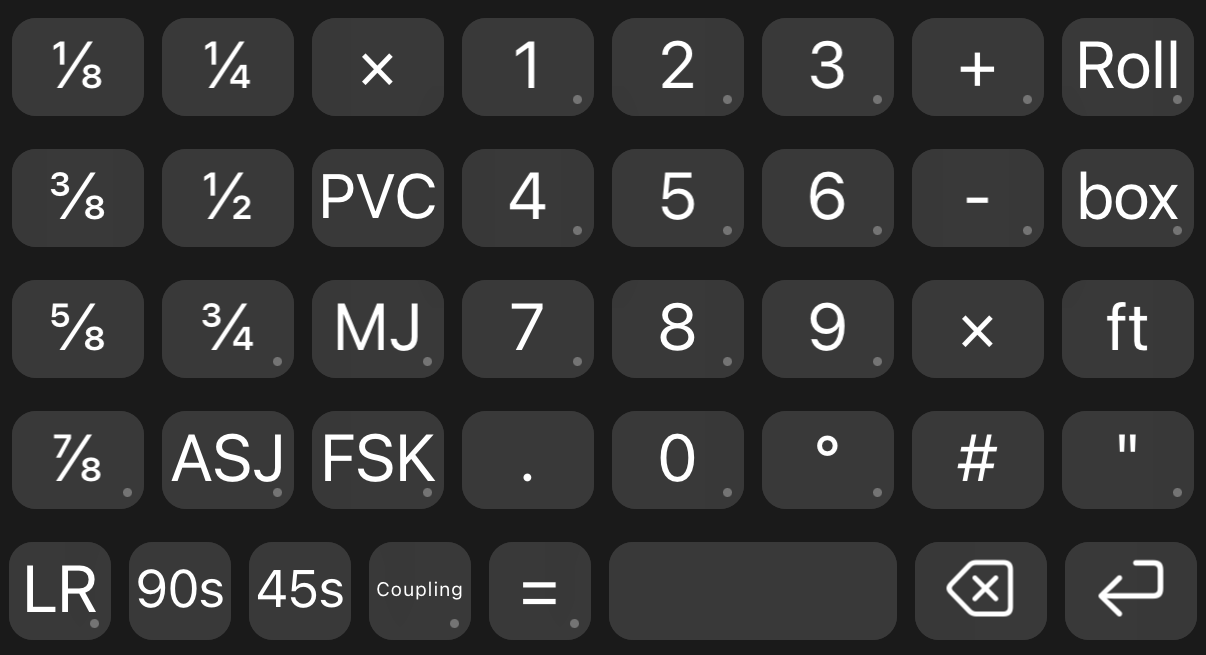
A custom iPhone keyboard we built for takeoffs. Fractions, fittings and materials are one tap away, so counting off drawings or walking a job goes a lot faster than digging through the stock keyboard.
Get it
- Install xKeyboard from the App Store. It needs iOS 18 or later.
- On your iPhone, tap the button below. Open the file in xKeyboard to import it. If it saves to Files instead, open xKeyboard and import it from there.
- Turn it on: Settings › General › Keyboard › Keyboards › Add New Keyboard › xKeyboard.
- In any app, hold the globe key and pick xKeyboard.
xKeyboard is free to download. Building or changing your own layouts needs the paid upgrade in the app.
What's on it
- ⅛ to ⅞
- Fractions in one tap
- LR · SR
- Long radius, hold for short radius
- 90s · 45s
- Fitting counts
- Coupling
- Hold for endcap
- PVC · MJ
- Fitting and joint tags
- ASJ · FSK
- Jacket types
- Roll · box
- Hold for Rolls, Boxes
- =
- Hold for Mineral wool
- ft · " · °
- Units